How to send your Smith.ai leads to propipelines.com
Get your pre-qualified leads automatically sent from Smith.ai, your virtual phone and web chat receptionist, to your propipelines.com sales pipeline.
All you need to set it up are Smith.ai, propipelines.com, and Zapier accounts.
click here to start your FREE trial with propipelines.com.
click here to sign up for your FREE trial with Smith.ai.
click here to sign up for your FREE trial with Zapier.
Get Started
In order to create a ZAP with Smith.ai, you must request an invitation with an email to support@smith.ai
Connect your TRIGGER App Account and Set Up the Trigger
Sign into your Zapier account and click on the MAKE A ZAP! button at the very top where you will be directed to a new page:

1. Choose the Trigger App: Smith.ai Chat
2. Choose the Trigger: New Chat
3. Connect Zapier to your Smith.ai account if you haven’t already by:
You may also request the support team at Smith.ai to help you connect your Smith.ai account to Zapier.
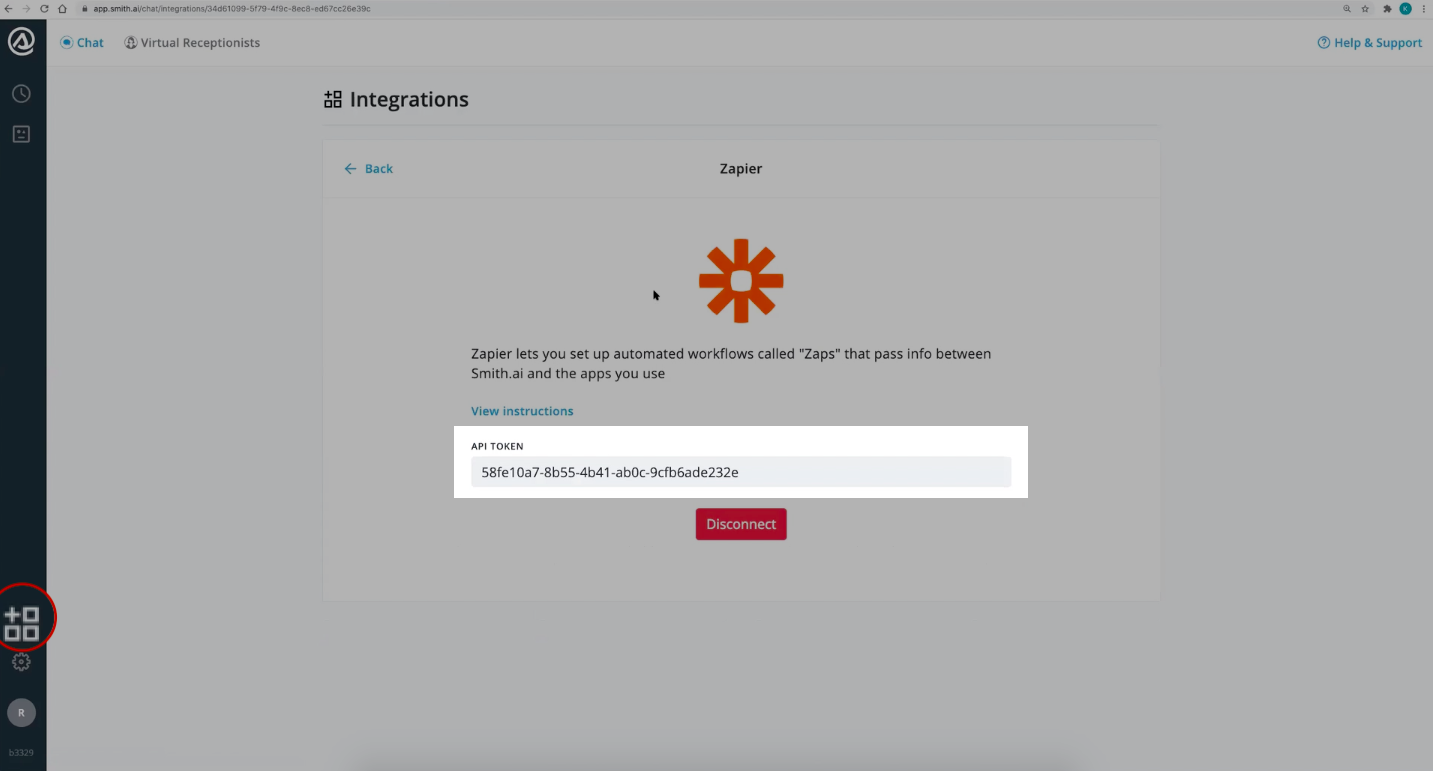
4. Test the step by creating a new lead in your Smith.ai Chat and you’re done setting up your trigger!
Connect your ACTION App Account and Set Up the Action
1. Choose an Action App: propipelines.com
2. Choose an Action: Create Lead
3. Connect Zapier to your propipelines.com account if you haven’t already by:

4. Customize the retrieved lead in propipelines.com
Based on the lead you tested earlier, select the fields you want Pro Pipe Lines to retrieve information from and prepare the lead's Title and Description. Don't forget to add the tag "Smith.ai" to be able to track the lead's source.
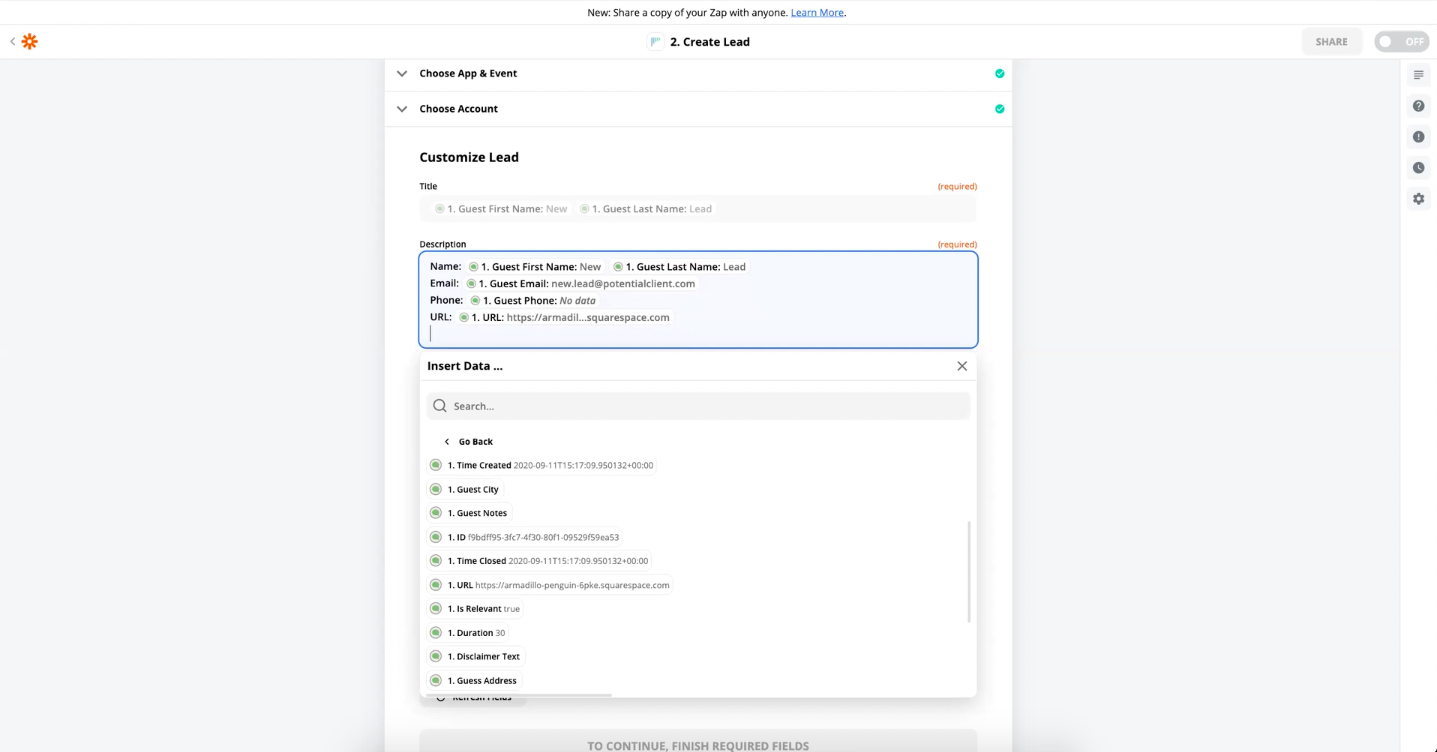
5. Test the step and the Action set up is finished.