ActiveDEMAND (AD) is an integrated marketing automation platform that enables SMEs to supercharge marketing efforts via streamlined campaign management and reporting.
⚠️ This integration is only available starting at the Expert edition.
Pro Pipe Lines and ActiveDEMAND integration give users access to
⚠️
If you don't already have a propipelines.com account, start your free trial today.
If you don't have an ActiveDEMAND account yet, sign up for a free trial here.
About the Integration
Using ActiveDEMAND's marketing automation, you can determine which prospect activities are ready for propipelines.com and which are not so that not all data from ActiveDEMAND goes into propipelines.com.
ActiveDEMAND only sends data to propipelines.com when a lead executes an action that ActiveDEMAND is tracking. For instance, a lead fills out a web form which will create a new lead in Pro Pipe Lines.
Data flowing from ActiveDEMAND to propipelines.com, is controlled in the Lead Processing workflows (Automation->Lead Processing).
Data flowing from propipelines.com to ActiveDEMAND is managed automatically using the Import Scheduler (Contacts->CRM Contact Updates).
The CRM Contact Update system sets up the connection between Pro Pipe Lines to ActiveDEMAND allowing real-time updates from Pro Pipe Lines to AD whenever a lead is updated.
Get Started
Install Prospect Insights Chrome Extension
To get the most out of the integration, get started by installing the ActiveDEMAND Prospect Insights Chrome extension. This adds outbound call tracking, lead insights and account overlays from ActiveDEMAND into propipelines.com. Install Prospect Insights Now.

Set Up propipelines.com and ActiveDEMAND Integration
The following steps should be done for each Pro Pipe Lines user in your account:
Step 1:
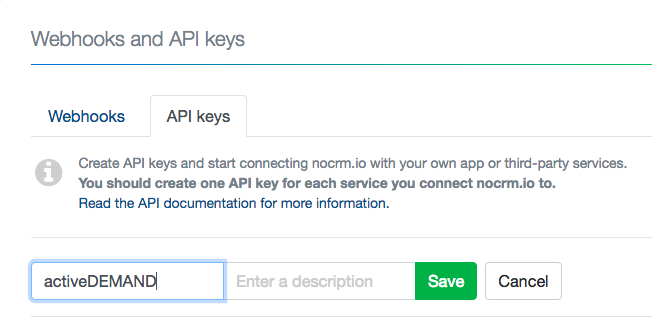
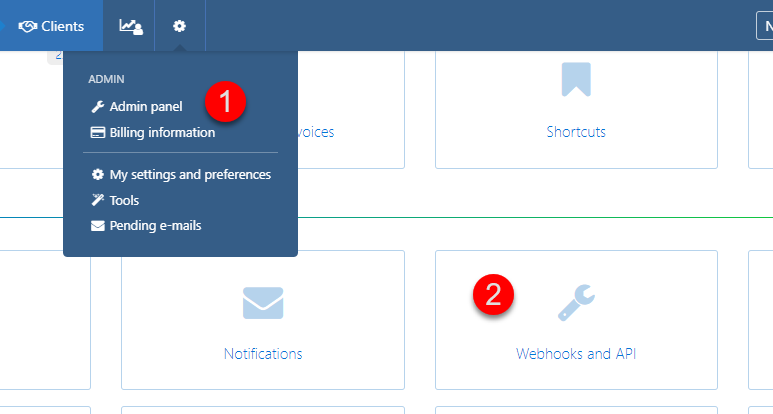 In your propipelines.com account, go to the Admin panel > Integrations > Built-in Tools > Webhooks and API > API Keys Tab. Create a new API key and Copy it.
Step 2:
In your ActiveDEMAND account, go into Administration->Account Settings->Integrations->Third Party Applications. Click 'Add Application' and select "noCRM".
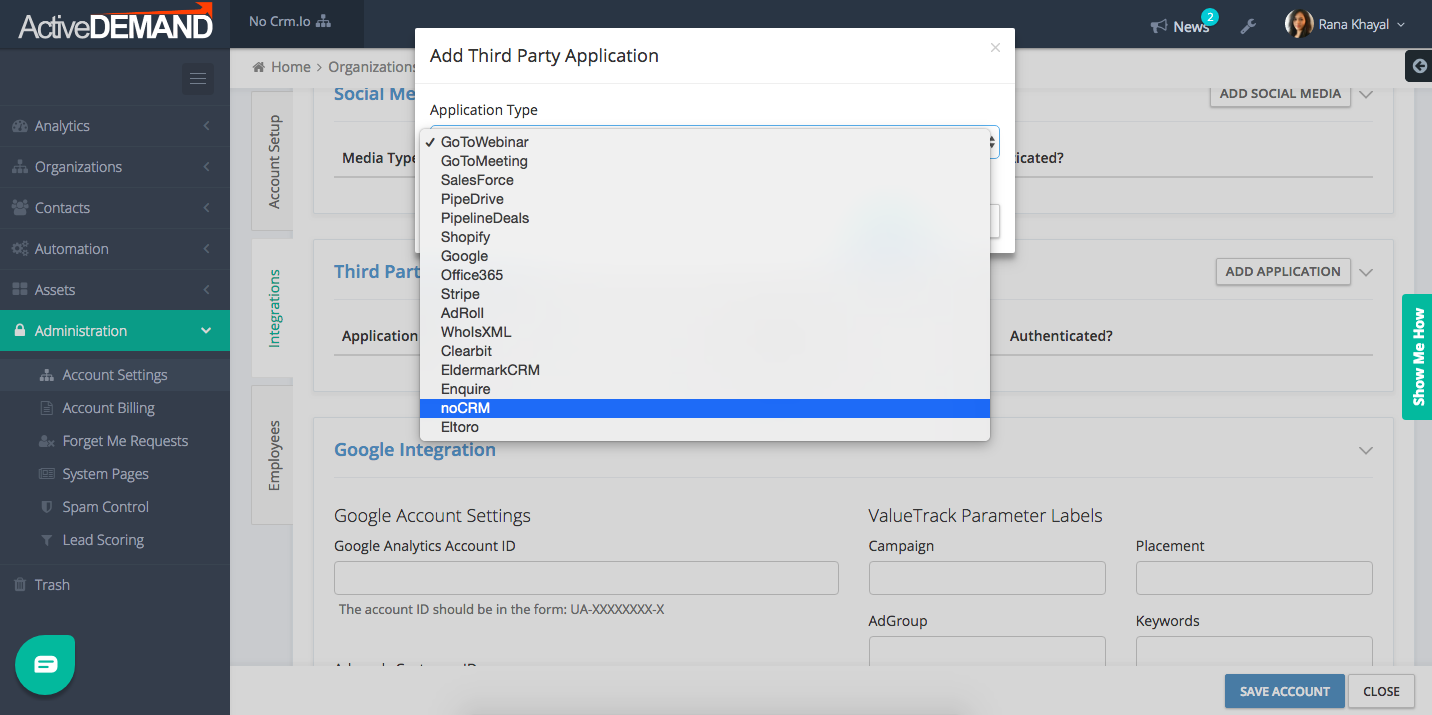
Fill in your account SLUG (e.g: https://SLUG.propipelines.com) and the copied API key.
Step 3:
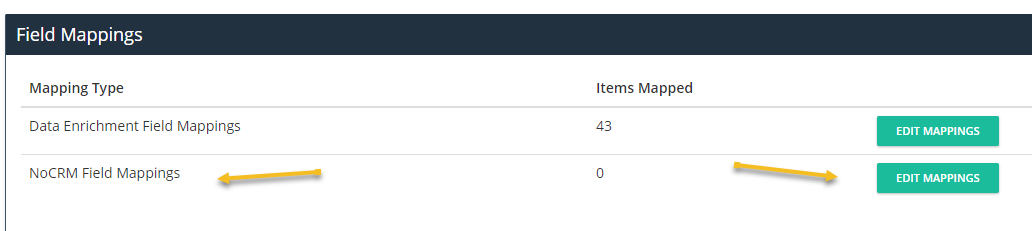
Whenever a contact is pushed to propipelines.com from ActiveDEMAND, the standard and custom fields in ActiveDEMAND can be mapped to the default fields in Pro Pipe Lines.
To set the mapping rules, go into your ActiveDEMAND Account Settings (Administration->Account Settings), scroll down to the Integrations Tab and click on the "Edit Mappings" button found next to "Pro Pipe Lines Field Mappings".
View Lead Insights
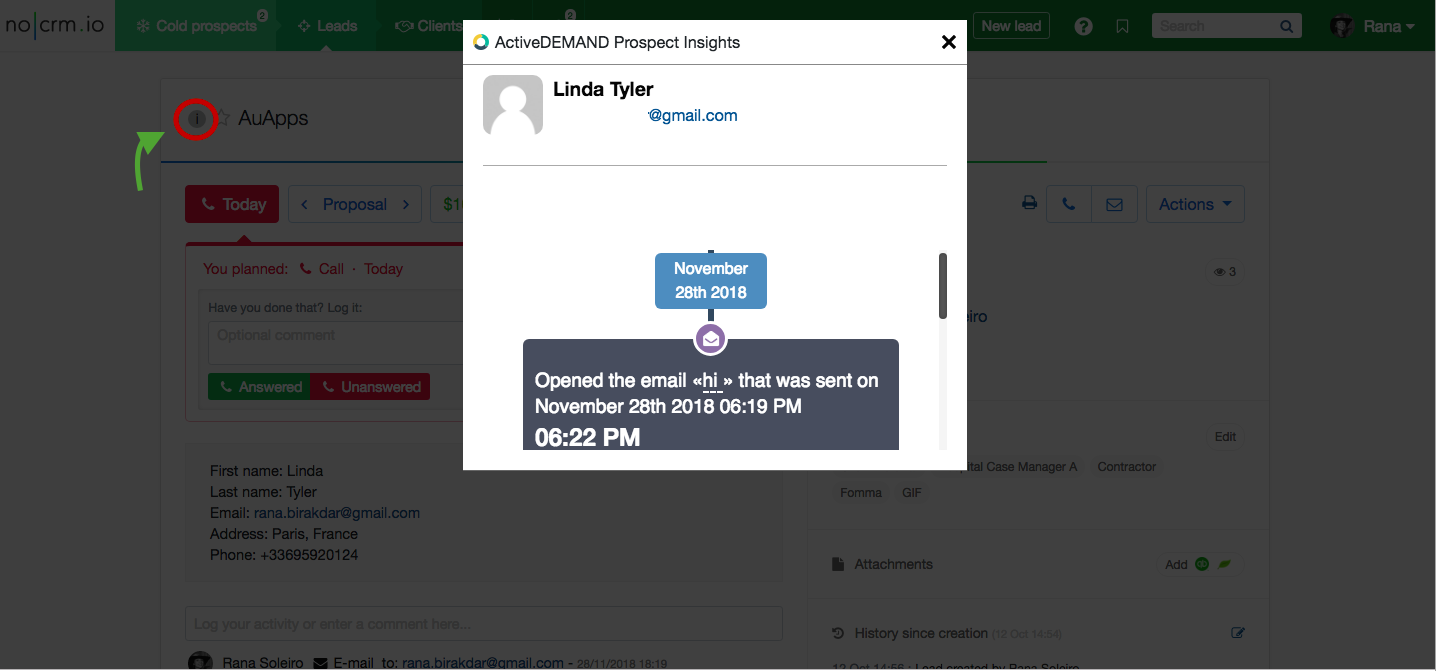
Once the Prospect Insights Chrome extension has been installed and the connection has been set up, you will be able to track all of your marketing activities including outgoing emails from within Pro Pipe Lines in real time through browser notification— know who opened your email and when
ActiveDEMAND tracks your marketing interactions with your leads and allows you to view them from within Pro Pipe Lines. Open a lead and click on the circle icon next to your Lead's title and view ActiveDEMAND's Prospect Insights.
⚠️
If you don't already have a propipelines.com account, start your free trial today.
If you don't have an ActiveDEMAND account yet, sign up for a free trial here.
Process Leads
In ActiveDEMAND, under Automation->Lead Processing you can customize your lead distribution and lead management. If you have access to the Sales Lead Notifications or Phone Call Sales Notification workflows, you will see a new workflow item in the Workflow Actions.
This action will give you the ability to post/update a lead in propipelines.com
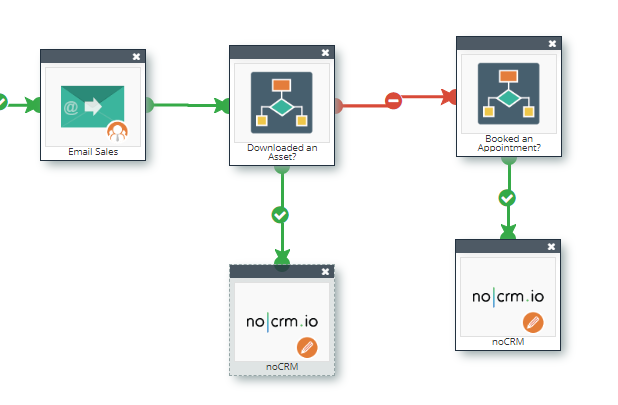
you will be able to choose who the lead gets posted under (i.e. sales person) or to the assigned sales person. You can also change the step of the lead as well as its status in Pro Pipe Lines.
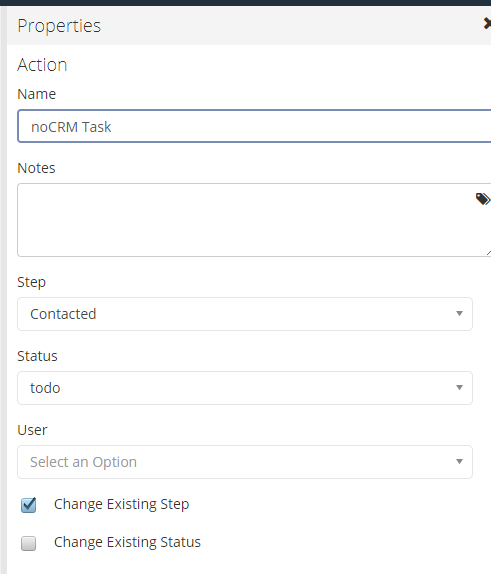
When this action is posted, the field mapping in the account settings will be invoked to post the AD contact to propipelines.com.
Import and Update Leads
1. Importing Leads From propipelines.com to ActiveDEMAND
After setting up your connection between Pro Pipe Lines and ActiveDEMAND, importi../../../help/ngleadsiseasy.inad_goto_strong_contacts-_gt.css;Import Contacts and select Pro Pipe Lines:
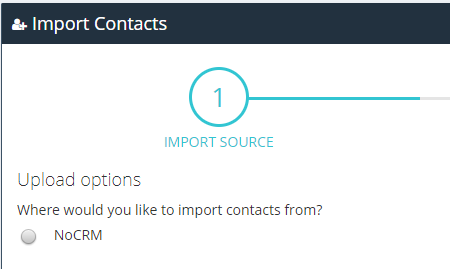
You will be given full control over what to do if leads already exist, what fields map to what, and so on.
2. Automatically Update Leads in ActiveDEMAND from propipelines.com
To automatically push changes from Pro Pipe Lines to ActiveDEMAND, use the contact import ../../../help/scheduler(_strong_contacts-_gt.css;CRM Contact Updates).
propipelines.com will update ActiveDEMAND whenever a lead is changed in Pro Pipe Lines. The import scheduler filter system allows you to have full control over what gets data and which leads are automatically updated in ActiveDEMAND.
ActiveDEMAND will never delete data as a result of an import. Most fields will "update" as a result of an import with the exception of phone numbers and email addresses. As a lead can have more than one email address, an import will add email addresses and phone numbers to the existing list.
Use Click-to-Call
As ActiveDEMAND is a call tracking platform, you can perform outbound call tracking from within propipelines.com.Step 1: Install The Chrome Extension here
Step 2: Purchase at least on call tracking number in ActiveDEMAND (Assets->Call Tracking Numbers).
⚠️
If you don't already have a propipelines.com account, start your free trial today.
If you don't have an ActiveDEMAND account yet, sign up for a free trial here.
Learn More on the Importance of Sales & Marketing Alignment and How to Leverage Pro Pipe Lines and ActiveDEMAND's Integration to Accelerate Sales