Aircall is a cloud-based phone app built for sales teams to make and take calls and manage their business phone setup.
Connecting Aircall with propipelines.com allows you to reach your leads from propipelines.com and log the details including the number dialed, duration, and link to the recording.
If you don't have an Aircall account yet, sign up for a free trial here. If you use Aircall already but don't have a propipelines.com account, start your free trial today.
⚠️ This integration is only available starting at the Expert edition.
Getting Started
Connect Your propipelines.com and Aircall Accounts
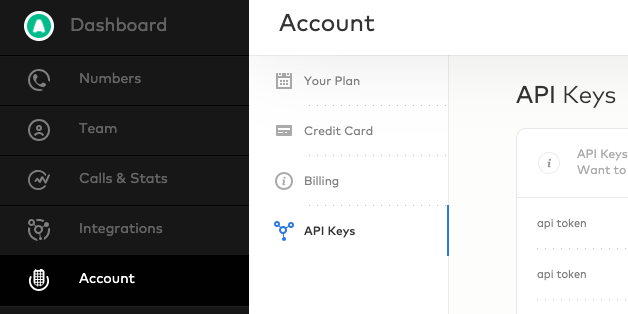
Retrieve your API Key Sign into your Aircall account, go to the Company page and select the API Keys tab. Once there, click on + Add an API key where you will find your API ID and Token. Make sure both your ID and Token are copy pasted somewhere safe so you don't lose them for later use.
Navigate back to your propipelines.com account, go to the Admin Panel > Integrations > Third-party apps, and select our Aircall integration.
Paste your API ID and token in their respective fields and click Connect my aircall account.
Call Your Leads and Prospects From propipelines.com

You're now ready to make your first call!

⚠️ Note: Do not use Aircall's Chrome Extension to make calls. Pro Pipe Lines will not be able to retrieve the call recording then. Please use the Aircall click-to-call button inside the lead or prospect in Pro Pipe Lines. Also, know that the native integration between Pro Pipe Lines and Aircall only works with Google Chrome.


Receive Calls Directly on propipelines.com
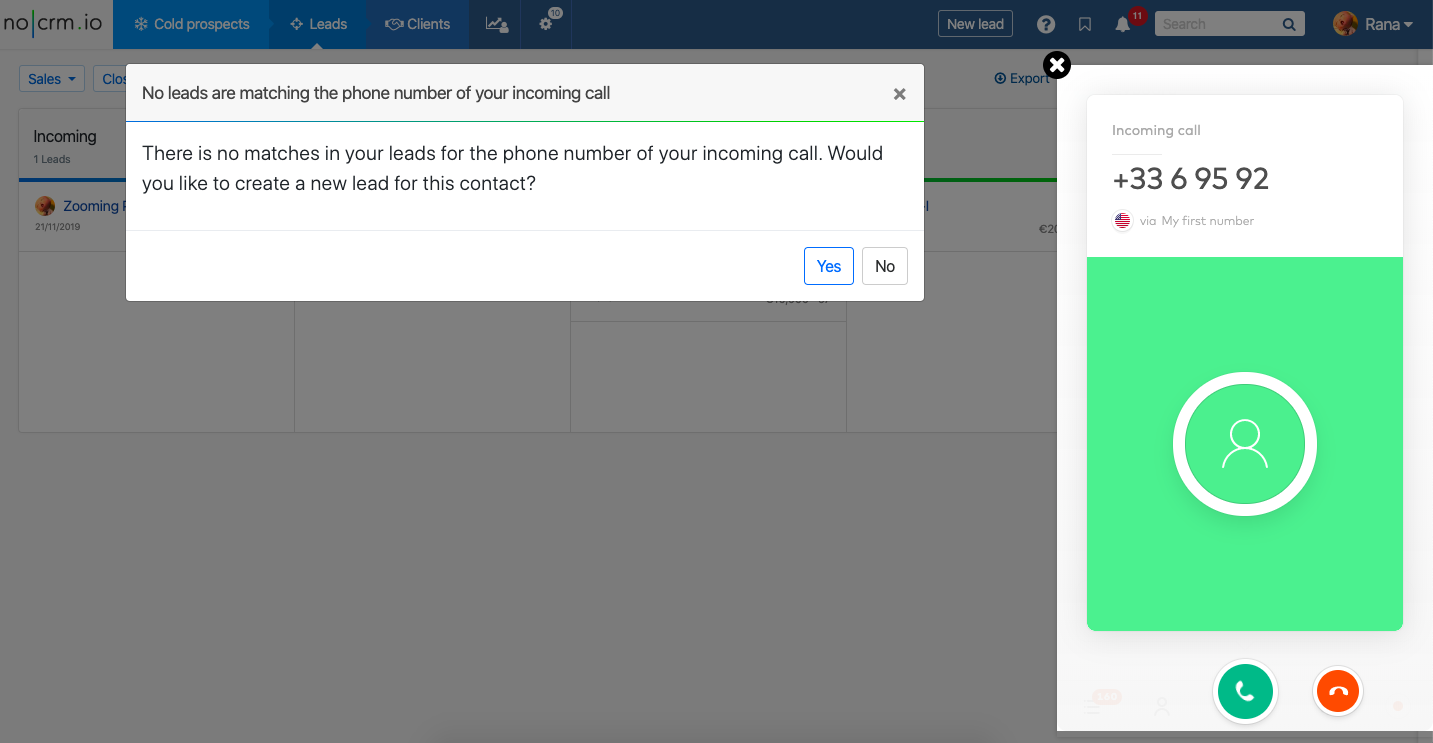
Receive inbound calls from an unknown number
Receive inbound calls from a known number
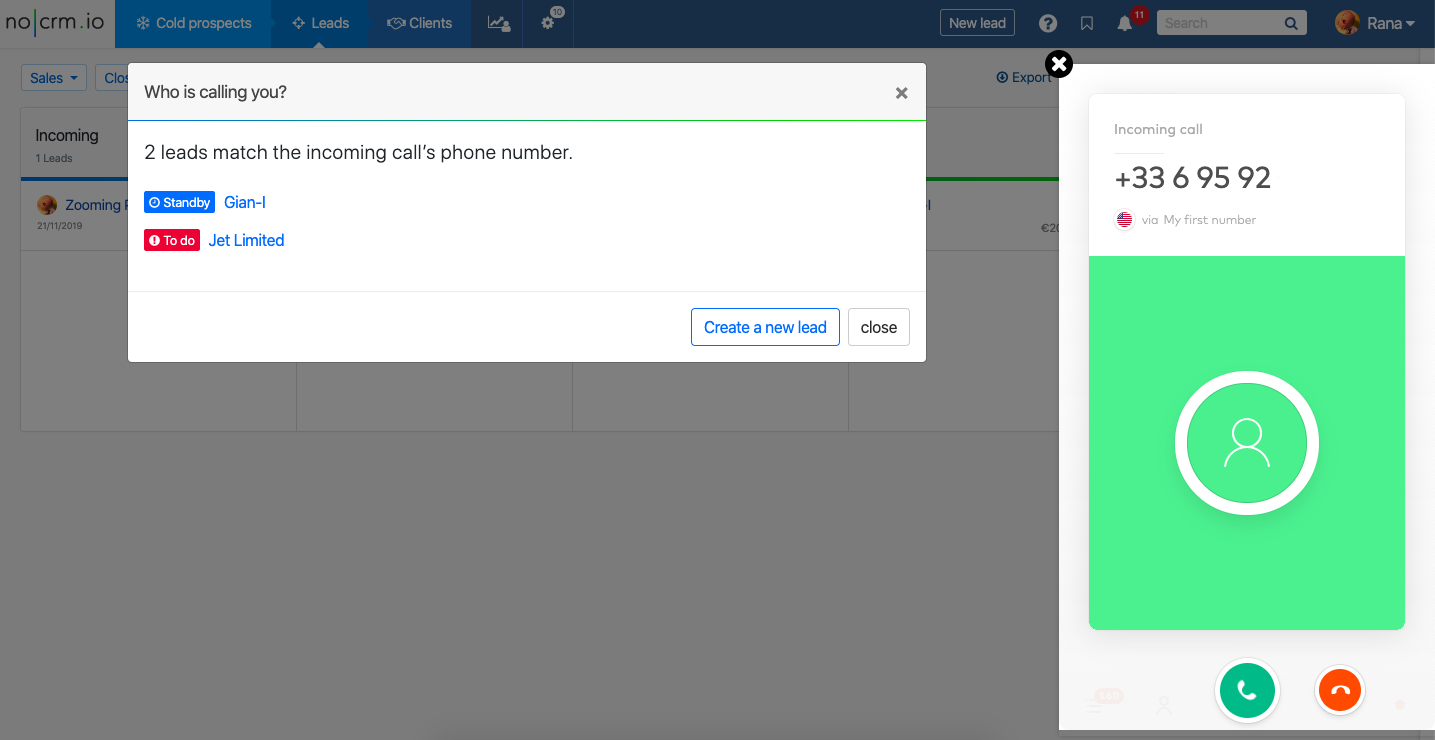
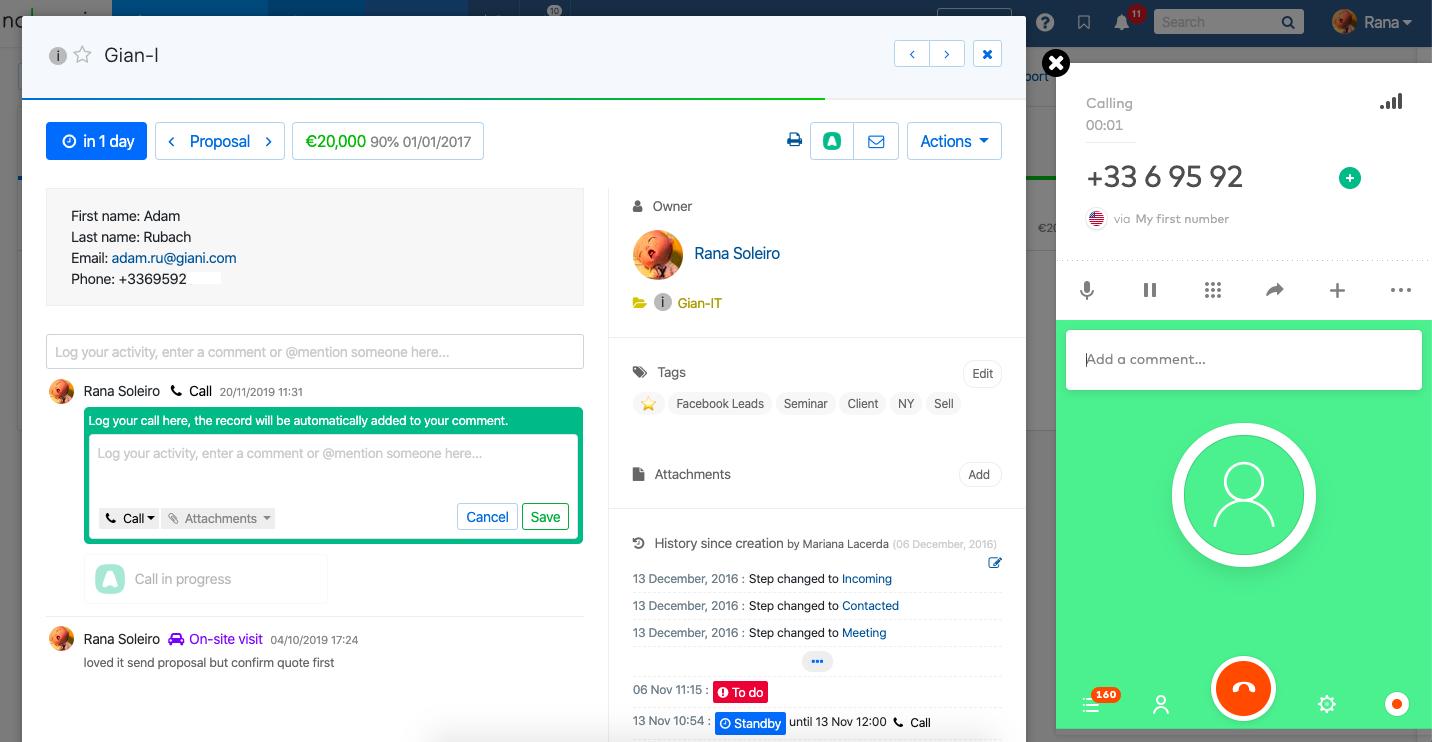
1) Click on the 'Open the Lead' button or click directly on the lead you want to open from the list of available options.
2) Create a new lead
Watch how to connect Pro Pipe Lines to Aircall and start calling leads and prospects