Personalized Widget in the Home Page
This feature is only available in the Expert & Dream Team Editions
The personalized Home page Widget can be activated and defined in the Admin Panel > Account Management > User Interface section of your account. The Widget can be either HTML or IFRAME.
In the HTML mode, you can add any HTML content including javascript and IFRAMEs. You have access to some variables like the email address of the connected user, their name, and their ID. This can be very useful to display a link to sales documents or forms pointing to your internal information system.
The IFRAME mode allows you to point to an external resource on the web and can help you include some resources from your website directly in our app. The only constraint you have is that the URL of the IFRAME must be served under the secure HTTPS protocol. You can use any exposed variable in the URL of your IFRAME.
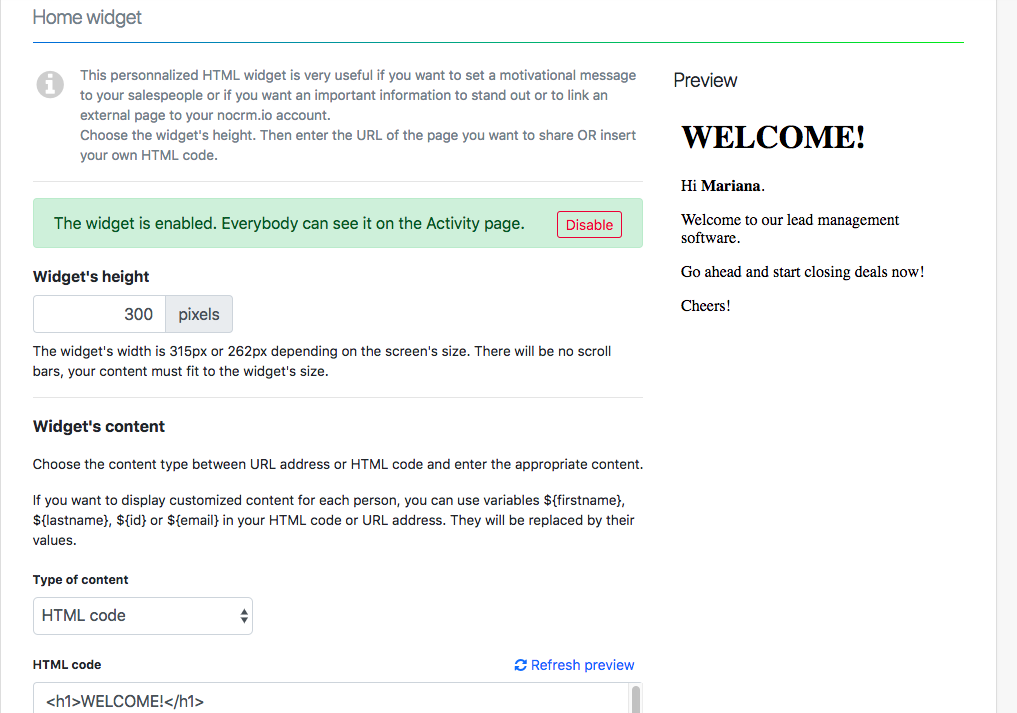
Other personalized widgets can be created if you have the Expert or Dream Team Edition. More info here